Skip to content

Exterior and interior renderings often get bundled together. But they’re built for different moments, different audiences and different goals. One shows the building in its environment — the architecture, the streetscape, the curb appeal. The other shows how it feels to live inside the space — the mood, the flow, the finishes.
Autodesk’s architectural rendering overview highlights this clearly. Different lighting setups and scene compositions are required depending on whether you’re visualising an interior or an exterior.
Understanding these differences helps you choose the right type of CGI. It also helps teams avoid wasted revisions, unclear visuals and misaligned expectations.
If you need a quick refresher, explore our 3D Exterior Rendering Services or see our 3D Interior Rendering Services.
Let’s break down what makes these two visualisation types distinct — and when you should use each one.
For a deeper look at how exterior visuals are produced, explore our Step-by-Step Workflow of 3D Exterior Rendering.
Key Takeaways
- Exterior and interior renderings serve different communication goals.
- Exterior CGI highlights architecture, materials, landscape and surroundings.
- Interior CGI focuses on layout, textures, lighting and atmosphere.
- Tools, workflows, lighting and costs differ between each.
- The right choice depends on your audience and project stage.
What Is Exterior Rendering?
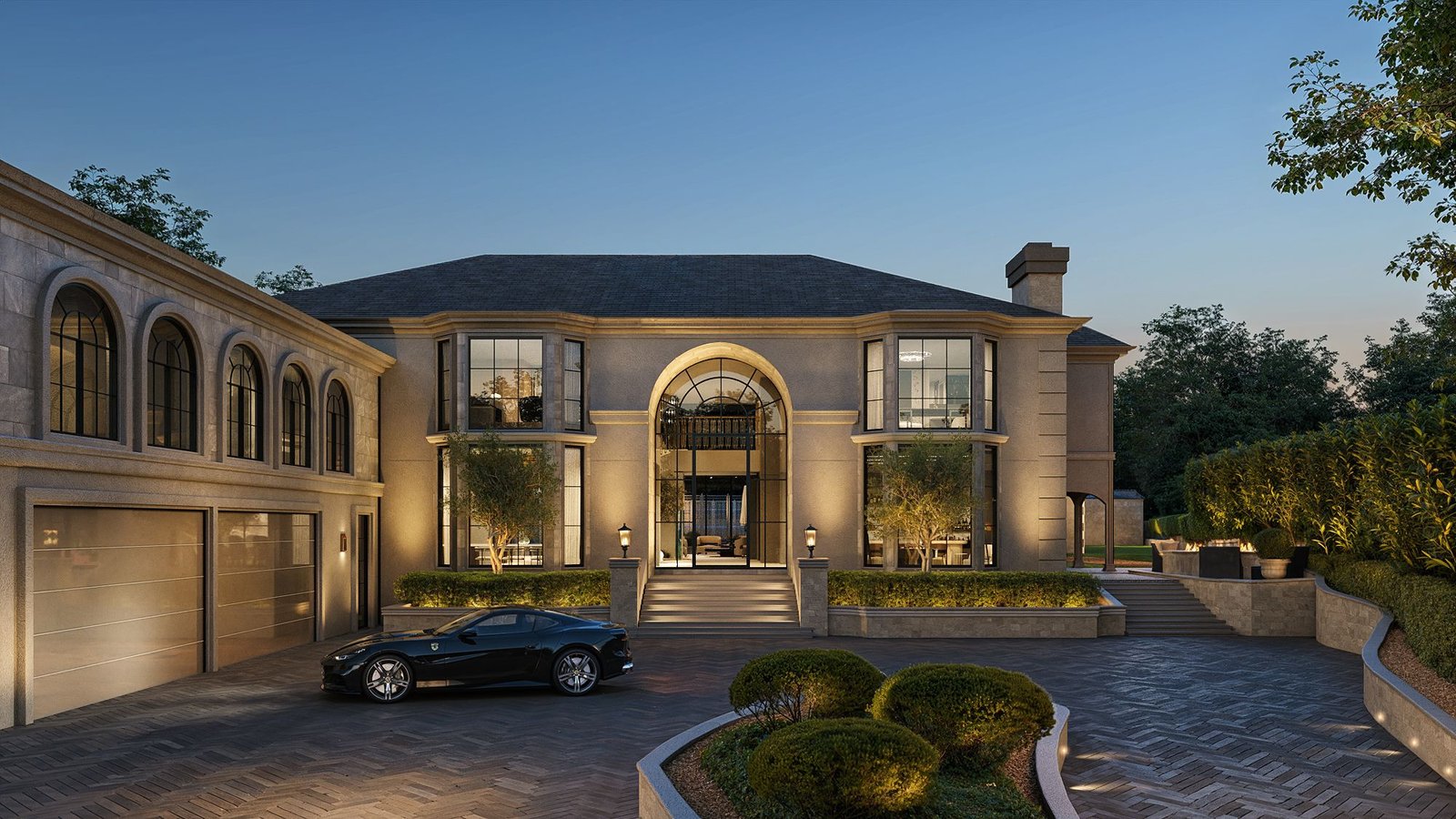
Exterior rendering shows the outside of a building — the façade, materials, landscaping, lighting, environment and street context. It’s the view people see first when they look at a development or a sales brochure. And it’s often the visual used to secure approvals or early investor interest.
Building Design + Construction emphasises how important this is. Exterior imagery helps stakeholders understand façade treatments, massing and how a building integrates with its surroundings — something drawings rarely convey clearly.
Exterior CGI is used for:
- planning applications
- investment decks
- brochure hero images
- pre-sales launches
- community consultations
- architectural presentations
If you want to see how we approach this, explore our 3D Exterior Rendering Services.
For a broader overview of why these visuals matter, see our Top Benefits of 3D Exterior Rendering for Architects and Developers.
What Is Interior Rendering?
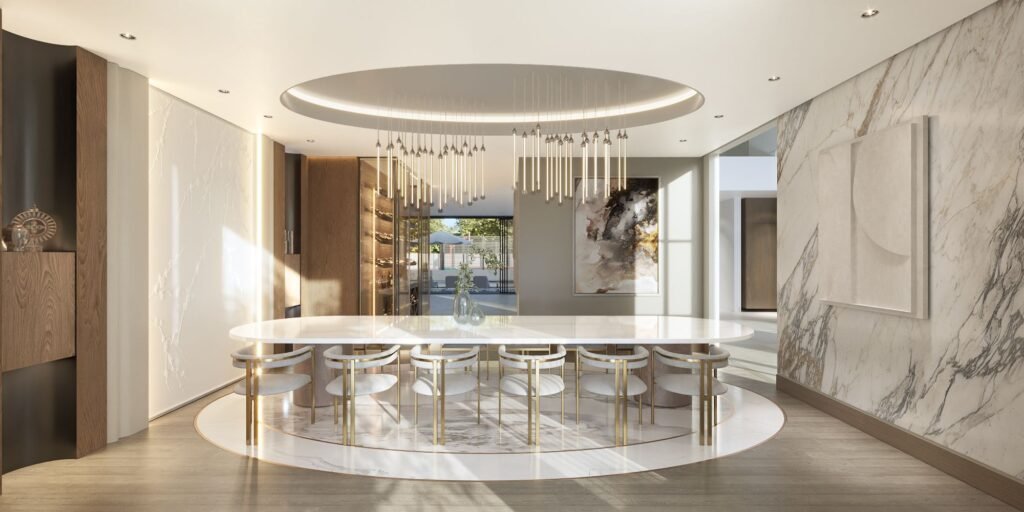
Interior rendering focuses on the inside of a space — the layout, the materials, the lighting, the furniture and the atmosphere. It helps people understand how a room feels, how it functions and how it supports day-to-day living. Where exterior rendering communicates architecture, interior rendering communicates lifestyle.
Harvard’s Graduate School of Design highlights this distinction in its research on interior spatial perception. Interior spaces carry emotional and functional cues — lighting, finishes, textures, colour and layout all shape how people imagine themselves in the room.
Interior CGI is used for:
- interior design presentations
- off-plan apartment sales
- refurbishment proposals
- hospitality + retail fit-outs
- furniture and layout planning
- mood and material previews
If you want to see how interior visuals support design and sales, explore our 3D Interior Rendering Services.
Goals & Audience: How They Differ
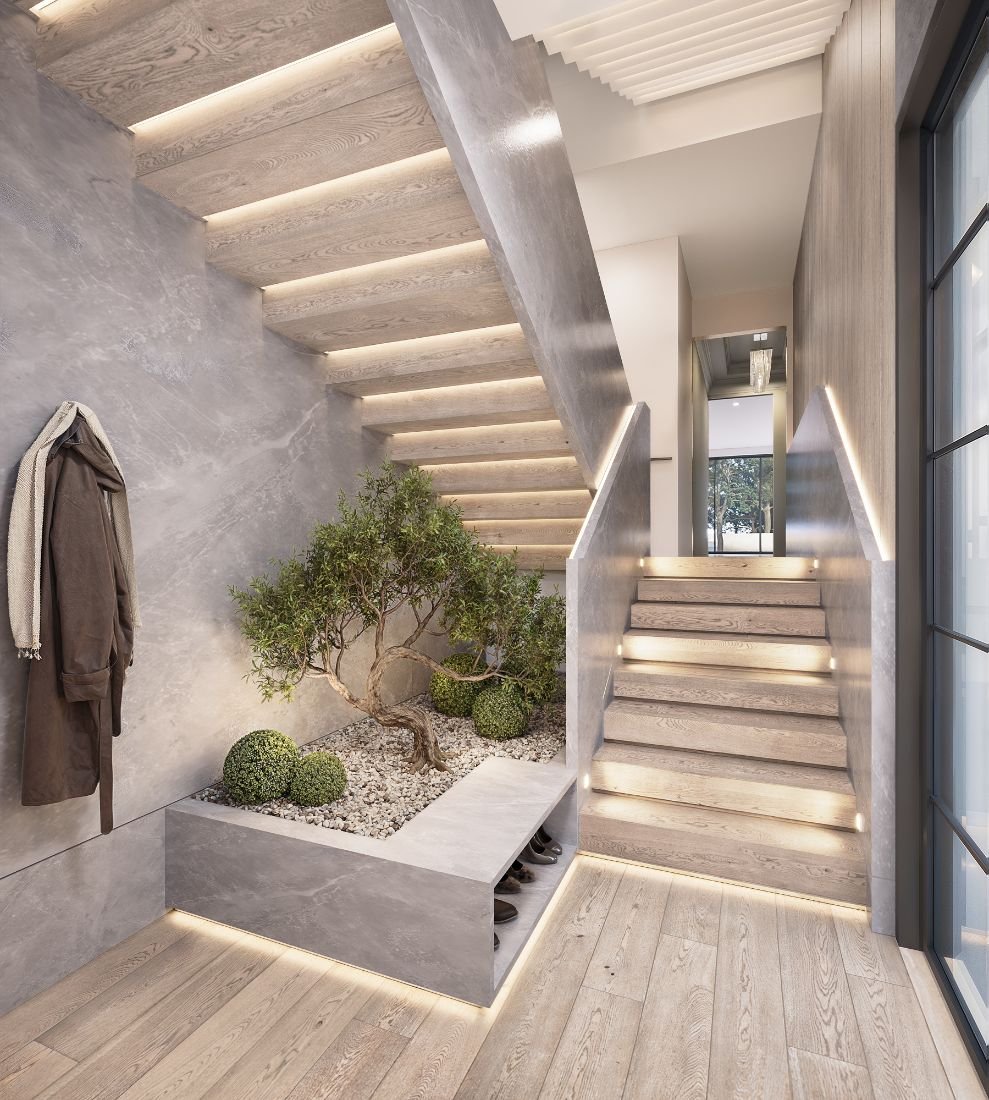
Exterior and interior renderings exist for different reasons. They answer different questions. And they speak to different people. Understanding this helps teams choose the right type of visual for the right moment.
Exterior Rendering — Who It’s For
- Developers
- Investors
- Planning boards
- Real-estate marketing teams
- Community stakeholders
These are people who need to see massing, materiality, streetscape impact and curb appeal. They want clarity on how the project fits into its environment.
Interior Rendering — Who It’s For
- Interior designers
- Homebuyers
- Hospitality operators
- Retail brands
- Renovation clients
This audience cares about layout, comfort, finishes and lifestyle. They want to imagine themselves in the space — not just understand the architecture.
ArchDaily often highlights this distinction. Interior visualisation focuses on materials, finishes and atmosphere, while exterior imagery communicates overall architectural identity.
Different goals. Different audiences. Different decisions made from each type of rendering.
Lighting, Tools & Technical Differences
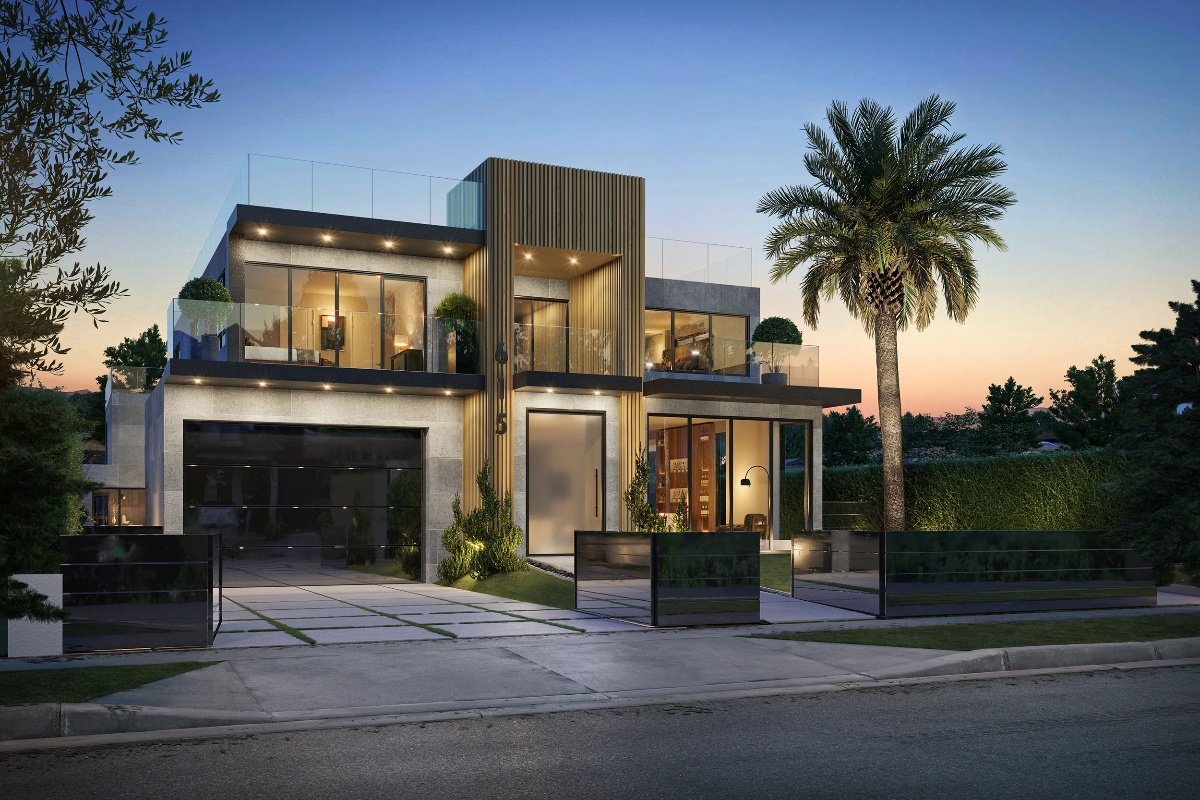
Interiors and exteriors may use the same software. But the lighting, setup and workflow are completely different. This is where most people underestimate the difference between the two.
Exterior Rendering
Exterior scenes rely on natural light.
Sun-and-sky systems define the main mood.
HDRI skies add reflections, colour and atmosphere.
Shadows, weather and environment help the building feel grounded.
Scenes are large, but the detail per object is lower than interior spaces.
Interior Rendering
Interiors rely on full artificial lighting control.
Lamps, downlights, ceiling fixtures and photometric lights shape the space.
Global illumination is critical — light has to bounce realistically between walls.
Materials and textures must withstand close-up viewing.
Small details matter: stitching, fabric roughness, floor reflections.
Chaos makes this distinction clear with separate guides for interiors and exteriors.
Their interior rendering workflow emphasises artificial lighting and global illumination.
Their exterior techniques focus on sun/sky systems, environmental lighting and shadow accuracy.
CGArchitect also notes that interior and exterior scenes require different exposure settings, light behaviour and composition approaches because the spaces react differently to light.
The tools may be the same — but the technique is not.
For a full breakdown of environmental and lighting realism, explore Lighting and Environment in 3D Exterior Rendering.
Cost & Timeline: What to Expect
Interior and exterior renderings follow different production realities.
The tools are similar.
The workflow pace is not.
Exterior Rendering Costs & Timelines
Exterior scenes often cover large spaces — streets, landscaping, neighbouring buildings, driveways, sky and terrain.
But the detail per object is usually lower.
Lighting is simpler because it relies on natural sunlight and HDRI skies.
For straightforward projects, this can mean a faster turnaround.
However, environment modelling drives the cost.
Adding detailed landscaping, complex façades or full streetscapes takes more time.
Large masterplans also require extra rendering power.
Interior Rendering Costs & Timelines
Interiors are small spaces packed with detail.
Every material, finish, furniture piece and light source needs to feel believable at close range.
This increases modelling time, texturing time and lighting work.
Interiors also require more revisions because clients often refine design choices as they see visuals.
Adobe’s Substance 3D documentation backs this up.
Interior visualisation demands higher material accuracy, texture detail and surface realism than most exterior scenes.
Source: Adobe Substance
https://substance3d.adobe.com
If you want a deeper breakdown of typical pricing and what affects it, see our Cost of Renderings guide.
Because of this, interior CGI often matches — and sometimes exceeds — exterior timelines.
When to Use Each Rendering Type
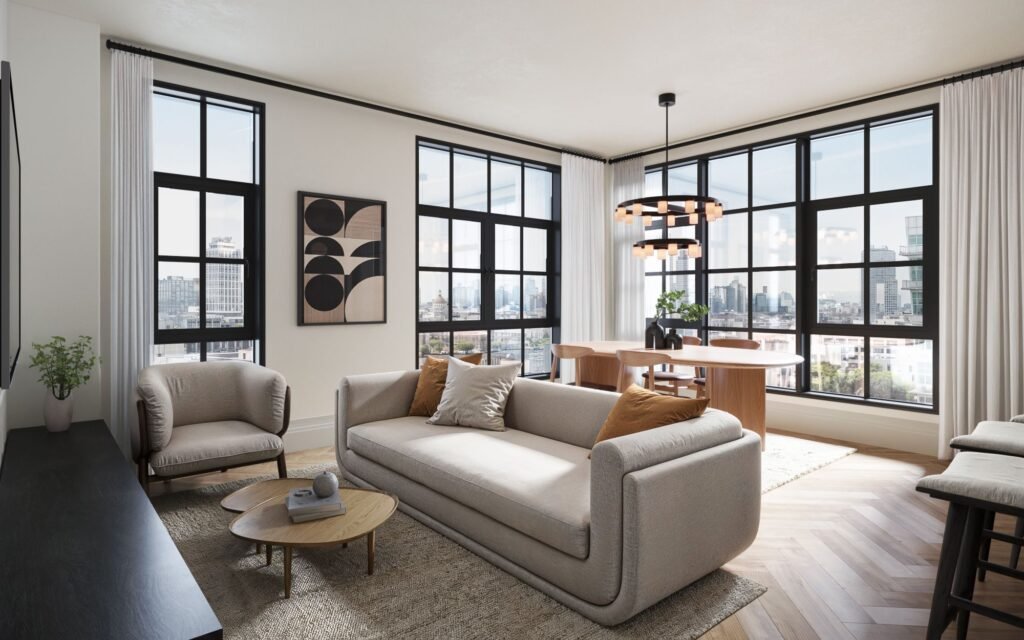
Choosing between interior and exterior rendering depends on what you need to communicate.
Each type answers a different question.
Each one supports a different stage of the project.
Use Exterior Rendering When:
- You need planning or investor approval
- You want to show the façade, architecture and materials
- You’re launching a pre-sales or off-plan marketing campaign
- You need accurate streetscape or landscape context
- You want to demonstrate scale, massing or curb appeal
- You’re creating hero images for brochures or websites
Exterior CGI helps people understand the building in its environment — something drawings struggle to convey.
Use Interior Rendering When:
- You want buyers to feel the lifestyle and atmosphere
- You need to present room layout or furniture placement
- You’re selling off-plan apartments or homes
- You’re developing a refurbishment or fit-out concept
- You’re showcasing finishes, materials or interior design style
- You need detailed close-up visuals for marketing
Autodesk Area makes this distinction clear.
Interior lighting depends heavily on artificial light sources and bounce light, while exterior lighting relies on sun position, sky systems and natural shadows.
When combined, both rendering types give a complete picture — inside and out.
Conclusion: Use Each Rendering Type at the Right Time
Interior and exterior renderings aren’t interchangeable.
They solve different problems.
They speak to different audiences.
And they help you communicate completely different parts of a project.
Exterior CGI shows the architecture, the environment and the bigger picture.
Interior CGI shows the mood, the lifestyle and the details buyers care about.
Together, they create a full visual story — one that helps you secure approvals, attract investors and sell off-plan with confidence.
If you’re ready to bring your project to life from every angle, explore our 3D Exterior Rendering Services and 3D Interior Rendering Services.
We’ll help you choose the right visual approach for your design, your audience and your goals.
FAQs
Exterior rendering shows the outside of a building — the façade, materials, landscape and surrounding environment. Interior rendering shows the inside — the layout, lighting, finishes and atmosphere. Both serve different communication goals.
Start with exterior rendering if you need planning approval, investment materials or early marketing visuals. Choose interior rendering when you need to show lifestyle, finishes and how a space feels inside.
Interiors require more detail. Furniture, materials, textures and lighting all need to look realistic at close range. This adds more modelling and refinement compared to exteriors, which rely more on natural light and broader context.
Often yes — but not always. Exteriors can be faster when the design is simple. But costs increase when you need detailed landscaping, complex façades or full streetscapes. For a deeper breakdown, see our Cost of Renderings guide.
Exteriors rely on sun-and-sky systems and environmental lighting. Interiors depend on artificial lights, bounce light and controlled exposure. Tools like V-Ray and Corona use different workflows for each because the spaces react differently to light.
Yes — and most projects do. Exterior CGI supports planning and marketing. Interior CGI supports sales, lifestyle storytelling and design decisions. Together, they create a complete visual explanation of your project.
Absolutely. Buyers want to imagine how a space feels inside. Interior rendering helps them visualise layout, materials and atmosphere long before construction starts.
Refrences
Autodesk — Architectural Rendering Overview
Explains how architectural visualisation requires different lighting setups and scene compositions for interiors versus exteriors.
https://www.autodesk.com/solutions/architectural-rendering
Building Design + Construction — Exterior Visualisation & Context
Highlights how exterior CGI helps stakeholders understand façade treatments, massing, and integration with the surrounding environment.
https://www.bdcnetwork.com
Harvard Graduate School of Design — Interior Spatial Perception
Research discussing how interior space qualities (light, materials, mood, usability) influence emotional and functional perception.
https://www.gsd.harvard.edu
ArchDaily — Interior vs Exterior Design Focus
Regularly covers how interior imagery centres on materials, finishes, usability and atmosphere, while exterior imagery emphasises architectural identity and context.
https://www.archdaily.com
Chaos — Interior Rendering Workflow
Covers artificial lighting, global illumination, and material accuracy required to produce photorealistic interior CGI.
https://www.chaos.com/blog/interior-rendering-workflow
Chaos — Architectural Rendering Techniques (Exterior Rendering)
Breaks down sun/sky systems, environmental lighting, shadows, and exterior-scene composition.
https://blog.chaos.com/architectural-rendering-techniques
CGArchitect — Lighting & Workflow Differences
Explores how interior and exterior scenes require different exposure settings, light behaviour, and modelling approaches.
https://www.cgarchitect.com/features
Adobe Substance 3D — Material & Texture Accuracy
Emphasises how interior visualisation relies on high-fidelity materials, texture realism, and detailed surface mapping.
https://substance3d.adobe.com
Autodesk Area — Lighting for Interiors vs Exteriors
Explains how interior lighting depends on artificial sources and bounce light, while exterior rendering relies on natural sunlight and sky systems.
https://area.autodesk.com
Ready to Visualise Your Project Inside and Out?
Interior and exterior renderings each tell a different part of your project’s story.
One shows the architecture.
One shows the lifestyle.
Together, they help buyers, investors and planning teams understand your vision clearly.
If you want visuals that communicate your design from every angle, explore our 3D Exterior Rendering Services and 3D Interior Rendering Services.
We’ll help you choose the right approach — and bring your project to life with clarity and confidence.