Skip to content
High-quality 3D visualization is no longer optional in real estate development.
In 2026, developers are expected to communicate design intent clearly and early — to cities, investors, lenders, and buyers. Plans and elevations alone no longer meet that standard.
3D renderings, architectural animation, and VR are now decision-making tools. They reduce uncertainty. They prevent approval delays. They accelerate pre-sales. And they help projects secure funding faster.
This guide explains how developers use visualization strategically across the full project lifecycle — from early planning to final marketing — and how experienced studios like NoTriangle Studio support that process.
This is a practical, developer-first guide.
Not a gallery. Not theory.
A real-world reference for 2026.
Key Takeaways
- Visualization is now a risk-reduction tool, not a marketing luxury
- Cities expect clear visual context during approvals
- Investors commit faster when uncertainty is removed visually
- Pre-sales move faster when buyers can experience the project
- Different stages require different types of visuals
- Speed, accuracy, and workflow matter more than “pretty images”
- Strategic visualization partners outperform image-only studios
What You Will Learn
This guide answers the practical questions developers face at every stage of a project — from early planning through approvals, funding, and pre-sales.
You’ll learn:
- How 3D renderings support city and planning approvals
- How developers use visualization in investor and lender presentations
- How architectural animation and VR accelerate pre-sales
- Which types of renderings are needed at each development milestone
- Realistic production timelines for 2026
- What factors impact cost — without studio-specific pricing
- How to collaborate efficiently with visualization teams
- How experienced studios integrate into real developer workflows
You’ll also see:
- Real-world developer use cases
- Examples of how visualization removes friction in approvals
- How visuals influence buyer confidence and investor commitment
This guide is designed to work alongside our other developer resources, including:
- 3D Rendering for Real Estate Developers: The Complete Guide
- The Developer Pre-Sales Toolkit (Renderings, Animations, VR, Landing Pages)
- Architectural Animation Services (Process + Examples)
- Townhouse & Condo Rendering Packages for Developers
- How Developers Use VR to Accelerate Sales & Approvals
- 3D Rendering Pricing in 2026 (Industry Guide)
Each section builds on the last.
Together, they form a complete visualization strategy — not just a collection of images.
Why Visualization Matters More Than Ever in 2026

The way real estate projects are approved, funded, and sold has changed.
In 2026, stakeholders expect clarity earlier.
Developers cannot afford ambiguity, misinterpretation, or long revision cycles.
Visualization is how that clarity is delivered.
Reason 1 — Cities Demand Visual Clarity for Approvals
Planning departments now expect more than drawings.
They want to understand the project before it’s built.
High-quality renderings help planning boards assess:
- Building height and massing
- Façade articulation and material intent
- Pedestrian experience at street level
- Sunlight, shadows, and sightlines
- Relationship to surrounding context
Technical drawings explain how a building is constructed.
Renderings explain what it will feel like in the real world.
That difference reduces objections and shortens approval cycles.
Reason 2 — Investors Expect Visual Certainty
Investors are more cautious in 2026.
They want fewer assumptions and more evidence.
Visualization helps communicate:
- Target demographic and lifestyle positioning
- Amenity strategy and perceived value
- Design decisions that support pricing
- Contextual appeal and neighborhood fit
Clear visuals reduce perceived risk.
Reduced risk accelerates commitment.
Reason 3 — Buyers Decide Online First
Most buyers now engage with a project digitally before ever visiting a site.
buyer behavior and digital home search trends
They expect:
- Realistic imagery
- Walkthrough experiences
- Clear understanding of space and flow
Animations, panoramas, and VR allow buyers to experience a project long before completion.
This shifts pre-sales forward — often by months.
Reason 4 — Competitive Pressure Has Increased
Most developments compete against similar projects.
Similar unit sizes.
Similar pricing.
Similar amenities.
Visualization is how projects differentiate.
Not through exaggeration.
Through clarity, storytelling, and perceived quality.
Reason 5 — Design Complexity Has Increased
Post-pandemic developments are more complex.
Design now considers:
- Hybrid work patterns
- Health and circulation
- Indoor–outdoor integration
- Flexible amenity spaces
- Biophilic and wellness-driven elements
Visualization brings these elements together into a single, coherent narrative.
Without it, complexity becomes confusion.
Types of Renderings Developers Use (With Examples)
Different development stages require different visuals.
There is no single “all-purpose” rendering.
Below are the primary visualization types developers use in 2026 — and when each one matters most.
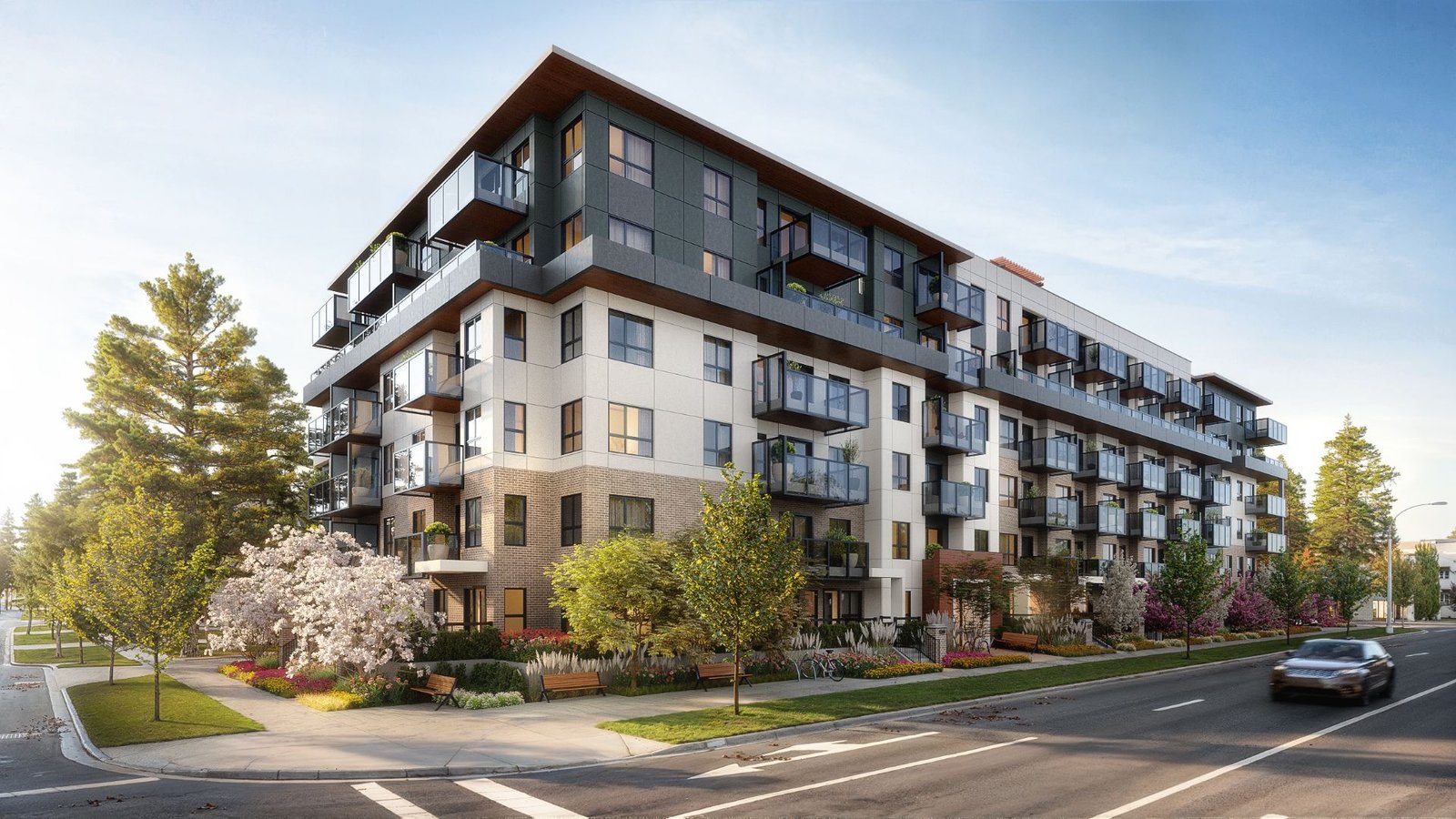
Used for:
- City and planning approvals
- Investor decks
- Marketing and pre-sales
They communicate:
- Façade design and material intent
- Building massing and proportions
- Street-level experience
- Landscaping and public realm integration
Exterior renderings are often the first visuals reviewed by planners and investors.
Accuracy matters more than drama.
2. Interior Renderings

Used for:
- Unit mix presentation
- Amenity previews
- Interior design approvals
They communicate:
- Spatial quality and flow
- Finish levels and material palettes
- Lighting conditions
- Lifestyle positioning
Interior visuals help buyers understand value — not just layout.
3. Aerial & Contextual Renderings

Used for:
- Planning approvals
- Investor presentations
- Market positioning
They communicate:
- Relationship to the surrounding neighborhood
- Viewsheds and orientation
- Proximity to amenities and transport
- Overall site logic
These images answer the question:
“Where does this project sit — and why does that matter?”
4. 3D Architectural Animations
Used for:
- Pre-sales campaigns
- Investor roadshows
- Launch events and digital ads
They communicate:
- Scale and flow
- Spatial transitions
- Emotional narrative
Animations consistently outperform static imagery in buyer engagement.
They allow the project to be experienced, not just viewed.
5. VR Tours & Interactive Models

Used for:
- High-end pre-sales
- Sales centers
- Remote buyers and investors
They communicate:
- True spatial understanding
- Unit comparison at scale
- Confidence in buying unseen
VR reduces hesitation — especially for off-plan purchases.
6. Marketing Asset Sets

Typically includes:
- Rendered floor plans
- Site and location maps
- Stacked plans
- Brochure and listing imagery
- Landing page visuals
These assets ensure visual consistency across every buyer touchpoint.
Developer Use Cases (Visual Timeline)

Visualization supports development decisions at every milestone.
When planned correctly, it reduces friction.
When added late, it creates rework.
Below is how developers use visualization across the full project lifecycle:
PLANNING → APPROVALS → INVESTOR PRESENTATION → PRE-SALES → MARKETING → HANDOVER
Use Case 1 — City & Planning Approvals
Primary goal: Reduce objections and approval cycles.
Renderings are used to:
- Clarify building height and massing
- Show façade articulation and material intent
- Demonstrate pedestrian experience
- Visualize landscaping and public realm impact
- Communicate architectural intent clearly
Planning boards respond faster when intent is obvious.
Renderings remove interpretation risk.
Use Case 2 — Investor & Lender Presentations
Primary goal: Secure commitment with confidence.
Developers use visualization to show:
- Target demographic and positioning
- Amenity strategy and perceived value
- Quality indicators that justify pricing
- How the project fits its surroundings
High-fidelity visuals reduce questions.
Fewer questions mean faster decisions.
Use Case 3 — Pre-Sales Campaigns
Primary goal: Sell earlier and faster.
Pre-sales teams rely on:
- Cinematic animations
- VR walkthroughs
- Key interior and exterior hero images
- Landing page and listing visuals
- Social media teaser content
Buyers commit sooner when they can experience the project.
Developers often see 25–40% faster pre-sales when visuals lead the campaign.
Use Case 4 — Marketing & Launch
Primary goal: Maintain momentum and consistency.
Visualization assets are reused across:
- Property listings
- Digital advertising
- Brochures and signage
- Sales centers
- Agent materials
Consistency reinforces perceived quality.
Use Case 5 — Stakeholder Alignment
Primary goal: Keep teams aligned.
Visualization helps align:
- Developers
- Architects
- Interior designers
- Marketing teams
- Sales agents
Everyone works from the same visual reference.
This prevents late-stage misunderstandings.
The Developer Visualization Process (From Insight to Impact)

Successful visualization starts with strategy, not software.
In 2026, the most effective developer visuals are those built around decisions — approvals, investor alignment, and pre-sales — not aesthetics alone.
This is how professional, developer-focused visualization projects are structured.
Step 1 — Briefing
The process begins with understanding the project context.
This includes:
- Development objectives
- Key stakeholders
- Approval, funding, and sales milestones
- The decisions the visuals need to support
At this stage, visuals are framed as tools — not outputs.
Step 2 — Market Context
Visualization must reflect the market it is selling into.
This step considers:
- Target buyer or tenant profile
- Competitive developments
- Pricing and positioning
- Local context and expectations
The goal is clarity and differentiation — not generic imagery.
Step 3 — Strategy & Creative Direction
Before production begins, direction is locked.
This includes:
- Narrative and storytelling intent
- Visual style and tone
- Scope and deliverables
- Priority views and formats
Clear direction upfront reduces risk and prevents unnecessary revision cycles.
Step 4 — Visual Content Production
Only after alignment does production begin.
This stage includes:
- Exterior and interior renderings
- Animations or walkthroughs where required
- Interactive or VR assets for pre-sales and presentations
All visuals are produced with architectural accuracy and a defined purpose — approvals, investor confidence, or buyer engagement.
Step 5 — Review, Delivery & Next Steps
Final assets are delivered production-ready.
This typically includes:
- High-resolution imagery
- Web and print formats
- Presentation-ready files
If the project moves into a new phase — approvals, pre-sales, or marketing — the visual strategy is refined or extended rather than rebuilt.
Timeline: How Long Renderings Take in 2026

Timing matters.
In development, visuals are often needed to unlock the next decision — approval, funding, or launch. Delays at this stage can stall an entire project.
In 2026, realistic rendering timelines look like this.
Typical Delivery Timeframes
For most developer projects:
- Still renderings: 2–3 weeks
- Small animation sequences: 3–4 weeks
- Larger animations or VR experiences: 4–6 weeks
These timelines assume:
- Design files are reasonably complete
- Scope is defined upfront
- Feedback is consolidated and timely
What Impacts Delivery Speed
Timelines vary based on several factors:
- Number of images or scenes
- Level of detail and realism
- Completeness of architectural files
- Number of revision cycles
- Animation length or interactivity depth
Clear inputs equal faster delivery.
Why Speed Is a Competitive Advantage
Many studios still operate on 4–6 week cycles for basic renderings.
Developer-focused workflows reduce this without sacrificing quality by:
- Locking strategy before production
- Running parallel processes
- Aligning visuals to milestones, not vanity
This allows projects to move forward while decisions are still active.
Cost Guide: Industry Ranges (2026)
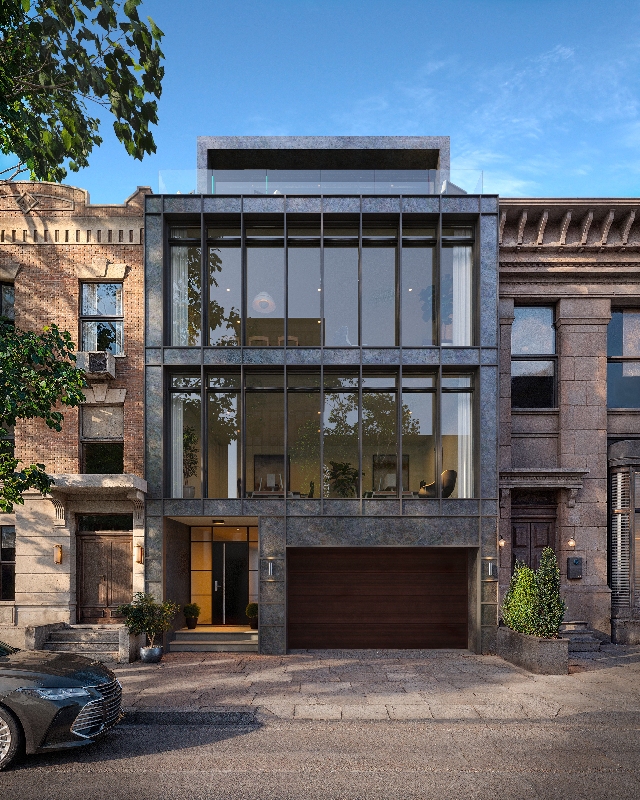
Rendering costs vary widely.
In 2026, pricing is driven by scope, complexity, and intended use — not just image count.
Below is a realistic overview of how the industry prices developer-focused visualization.
What Influences Cost
Costs are shaped by a combination of factors:
- Level of architectural detail
- Accuracy of materials and lighting
- Number of views or scenes
- Animation length and complexity
- Degree of interactivity (VR or real-time models)
- Context modeling and surroundings
- Revision scope and delivery deadlines
A single hero image and a full pre-sales package are not comparable.
Typical Industry Ranges (Indicative)
While pricing varies by region and studio maturity, general 2026 ranges look like this:
- Exterior or interior still renderings:
Entry-level to premium, depending on detail and context - Aerial or large contextual views:
Higher due to site modeling and scale - Architectural animation:
Priced by duration, scene complexity, and storytelling depth - VR and interactive models:
Higher investment due to real-time optimization and UX requirements
What matters is not the line item — but what decision the visual unlocks.
Why Developers Should Avoid Price-Only Comparisons
Low-cost visuals often result in:
- Misaligned approvals
- Weak investor confidence
- Slower pre-sales
- Costly rework
The real cost is delay.
Developers should assess visualization based on:
- Accuracy
- Strategic alignment
- Speed
- Reusability across phases
Planning Visualization Budgets Strategically
The most effective developers:
- Budget visuals by project phase
- Scale fidelity as decisions become more critical
- Reuse and extend assets instead of restarting
This reduces waste and improves ROI.
For a deeper breakdown of pricing models, scope variables, and budgeting strategies, see:
→ 3D Rendering Pricing in 2026 (Industry Guide)* COMING SOON
Case Studies: Visualization in Real Developer Workflows
The value of visualization is best understood through outcomes.
Below are examples of how developers use 3D rendering, animation, and interactive visuals to move projects forward — across approvals, funding, and pre-sales.
Each case follows the same structure to keep results clear and comparable.
Case Study — Residential Repositioning: The Willow, Manhattan, NYC
Project: University Place (“The Willow”)
Client: GD Capital Group
Location: Manhattan, New York, NY, USA
Challenge
A historic 1920s residential property was being modernized and repositioned. The developer needed visuals that communicated this transformation — balancing authenticity with modern comfort — before construction began.
Our Role
We provided strategic architectural visualization to support investor presentations, broker pitches, and early buyer engagement.
Deliverables
- Interior and exterior photorealistic renderings
- White-model studies to align on spatial flow
- Warm, lived-in staging that felt authentic rather than over-styled
Outcome
- Investors gained a clear understanding of the repositioning vision
- Brokers were able to communicate lifestyle value effectively
- Renderings reflected both design intent and residential character accurately
Residential Architectural Visualization for The Willow, Manhattan Case Study
Case Study — Planning Visuals for Mixed-Use Developments: VeLa
Project: VeLa Mixed-Use Developments
Client: VeLa Development
Locations: Tampa, Charlotte, Raleigh, Phoenix, Kansas City, USA
Challenge
Each city had different planning standards. Developers needed municipality-ready visuals that clearly showed massing, sightlines, and context to support zoning and design reviews.
Our Role
We treated this as a planning visualization engagement, consolidating inputs from architects and consultants to produce visuals that planning boards could review directly.
Deliverables
- City-context exterior renderings
- Street-level pedestrian flow and sightline studies
- Drone-integrated CGI context models
Outcome
- Mixed-use towers approved in multiple U.S. cities
- Clear consensus with planning authorities
- Reduced uncertainty and fewer revision cycles
Planning Visuals for Mixed‑Use Development — VeLa Case Study
Case Study — Luxury Residential Launch: Lake Tahoe Estate
Project: Luxury Mountain Estate
Client: Whisper Homes, in partnership with Chase International & Mike Dunn Group
Location: Clear Creek Tahoe, California/Nevada, USA
Challenge
A high-end estate under construction needed compelling visualization to support pre-sales in a competitive luxury market. The goal was to generate momentum before completion.
Our Role
We delivered a 360° visualization package that supported buyer confidence and market positioning early in the sales cycle.
Deliverables
- High-end exterior and interior photorealistic renderings
- Cinematic architectural animation
- Interactive real-time VR tour
- Custom property landing page
- Stylized floor plans for marketing clarity
Outcome
- Sale exceeded $12 million, a regional benchmark
- Strong buyer engagement before physical completion
- Unified visual narrative across channels and stakeholders
Architectural Visualization for a $12M Luxury Lake Tahoe Estate
FAQs
Most projects start with:
- Revit, CAD, or SketchUp files
- PDF plans and elevations
- Site plans
- Material or finish references
If files are incomplete, visualization can still begin — but accuracy and speed improve with better inputs.
Design changes are common.
Professional workflows account for this by:
- Structuring revisions around milestones
- Locking key views early
- Updating visuals incrementally rather than restarting
Late, unplanned changes can impact timeline and cost.
There is no fixed number.
Most projects include:
- 2–4 exterior views
- 2–4 interior or amenity views
- Optional aerial or context images
The right number depends on approvals, investor needs, and pre-sales strategy.
It depends on the goal.
- Still renderings work well for approvals and static presentations
- Animations perform better for investor decks, pre-sales, and launches
- VR is most effective for high-value or off-plan sales
Many developers start with stills and add motion later.
Renderings:
- Reduce interpretation errors
- Clarify massing and context
- Help planners visualize real-world impact
- Minimize objections and revision cycles
Clear intent leads to faster consensus.
Buyers commit faster when they understand:
- Space
- Light
- Layout
- Lifestyle
Visualization reduces hesitation and increases confidence — especially for off-plan purchases.
High-quality renderings aim for architectural accuracy, not exaggeration.
Accuracy depends on:
- Quality of reference materials
- Lighting intent and time-of-day definition
- Level of detail requested
Renderings should represent intent clearly — not mislead.
Earlier than most expect.
The most effective projects:
- Begin visuals during planning
- Use draft imagery to guide approvals and discussions
- Refine assets as the project progresses
Visualization is most valuable before decisions are locked.
Why Developers Choose NoTriangle Studio
Developers don’t choose visualization partners based on images alone.
They choose partners who understand risk, timing, and decision-making.
That’s where NoTriangle Studio is different.
Architectural expertise
Projects are built from real architectural inputs, not guesswork. Accuracy comes first.
Developer-first workflows
Visuals are aligned to approvals, investor milestones, and pre-sales — not vanity deliverables.
Speed without compromise
Efficient workflows deliver production-ready assets in weeks, not months.
Complex project capability
Large files. Multi-building sites. Mixed-use developments. Tight timelines.
Integrated creative team
Renderings, animation, VR, and marketing assets work together — not in silos.
Outcome-driven approach
Every visual has a purpose: reduce risk, gain approval, secure funding, or drive sales.
Developers don’t need more images.
They need clarity, momentum, and confidence.